FAA charts & navigation
VFR sectional and IFR low/high charts, airports, navaids, fixes, and VFR waypoints.

ZLayer is an electronic flight bag for phones, tablets, and computers. Use it in your browser or install it as a progressive web app.
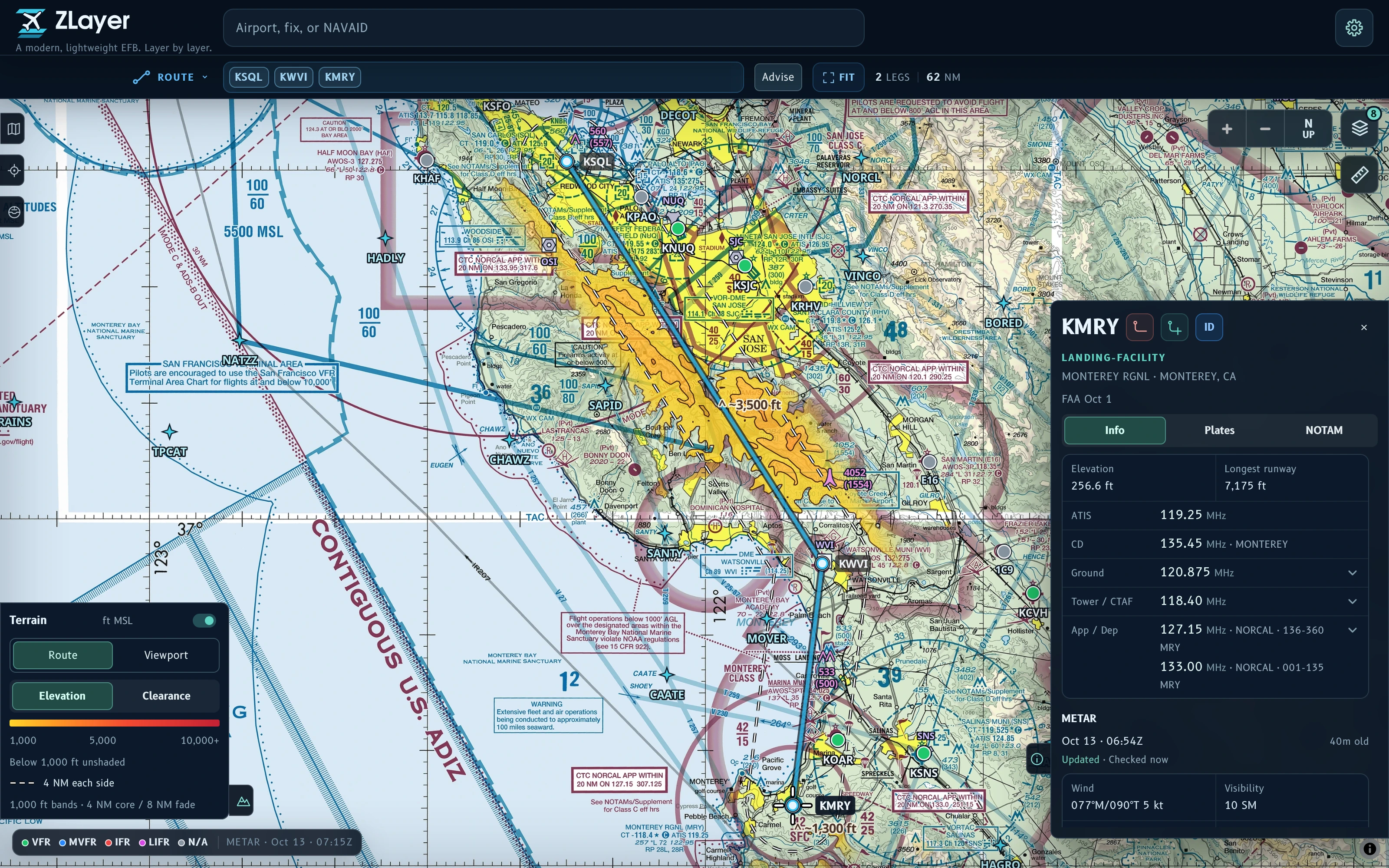
VFR sectional and IFR low/high charts, airports, navaids, fixes, and VFR waypoints.
Plan with airports, fixes, and airways. Find preferred and TEC routes, preview procedures, and save routes.
METARs, TAFs, radar, advisories, winds aloft, surface analysis and forecasts, and cloud and icing guidance.
Approach plates, airport diagrams, Chart Supplements, airport and procedure NOTAMs, and graphical TFRs.
Route contours, FAA obstructions, glide range estimates, experimental landing-area hints, distance measurements, and device GPS position.
Save charts, navigation data, TPP documents, terrain, and available glide hints by supported U.S. state or territory.
Go to zlayer.tedyin.com, search for an airport, or enter a route.
On iPhone or iPad: Safari → Share → Add to Home Screen. On Android: Chrome → Install app or Add to Home Screen. Desktop users can use a browser tab.
Open Settings → Offline on each device. On iOS, download inside the installed app. Wait for your regions to show Saved, then check charts and plates with the network disconnected.
Yes. Free forever, with no account or subscription. The original code and documentation are licensed under AGPL-3.0-only. External data retains its source terms.
ZLayer runs in modern desktop browsers, Chrome on Android, and Safari on iOS/iPadOS 18+. On Android, iPhone, and iPad, install it from the browser to your home screen as a progressive web app (PWA). It opens in its own window like a native app, with all ZLayer features, including offline downloads.
The map requires WebGL2; offline downloads need enough device storage. GPS support varies by browser and device.
There is no account-based cloud sync. Copy route text between devices; routes, settings, and downloads are stored locally.
Regional downloads in Settings → Offline include:
Weather, NOTAMs, and obstructions are cached separately, not included in regional downloads. Saved reports may remain readable; fresh updates need a connection. Satellite imagery is not included. Wait for regions to show Saved and check your data before going offline.
Charts and procedures focus on the U.S. and its territories. Weather, terrain, and glide-hint coverage vary by product and location. Source dates and availability are shown in the app.
No. ZLayer does not provide official briefings, flight-plan filing, fuel or aircraft-performance calculations, or terrain-clearance assurance. AHRS is experimental and has not been validated in flight. Glide hints do not confirm that an area is safe to land.